This interactive demo was created free with Storylane in 2 minutes. Create your own demo
Start free
All Tutorials /Statuspage

How to Add Site to Statuspage for Slack Customer

Updated on:
June 5, 2026
By:
Madhav Bhandari
Use this interactive demo to learn how to add and configure a site component in Statuspage for Slack customers.

Quick summary

This demo shows how to add a site component to Statuspage so Slack customers receive accurate, real-time service status updates. You will learn to name the component, assign it to a group, and save it for structured incident reporting.


Steps

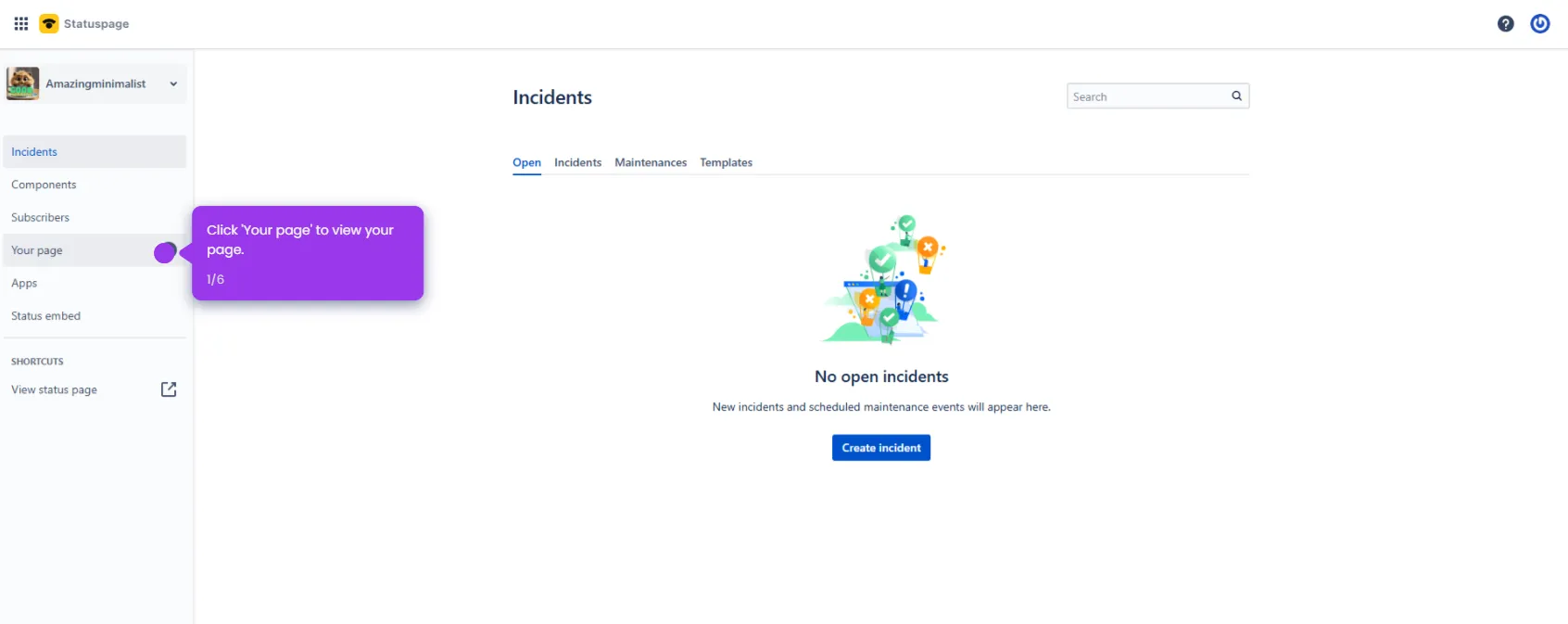
  1. Navigate to the Components section to manage all your service elements.
  2. Give your component a descriptive name that clearly identifies the service.
  3. Explore the dashboard where all your service status information is centralized.
  4. Organize your components by assigning them to logical groups for better visibility.
  5. Once done, click Save component to confirm your changes.
  6. View your complete component structure and prepare for effective incident reporting.
📌 Why this matters

Adding a site to Statuspage and configuring service components gives support and operations teams a structured foundation for real-time incident communication. When components are properly named and grouped, customers — including those using Slack integrations — receive clear, accurate status updates during outages or degraded performance. This reduces inbound support volume, builds customer trust, and ensures incident reports are organized and actionable from the moment an issue is detected.
Your product deserves an interactive demo
Start free
Similar Articles
Statuspage

Opsgenie Statuspage Integration

Madhav Bhandari
Director of Marketing @ Storylane
Statuspage

Statuspage Pingdom Integration

Madhav Bhandari
Director of Marketing @ Storylane
Statuspage

StatusPage Jira Integration

Madhav Bhandari
Director of Marketing @ Storylane
No items found.
Platform
Interactive Demos
Sandbox Demos
Hubs
RepX
Integrations
Solutions
Product Marketers
Growth & Demand Gen
Sales Reps & AEs
Presales & SEs
Customer Success
Product Managers
Customers
Demo Showcase
Customer Stories
Finer Demos Club
Features
Demo Signals
Personalization
Deal Intelligence
Resources
Blog
The Plot
Tutorials
Help Docs
What’s New
Demo Dundies
Company
Careers
Pricing
Partners
Contact
Trust Center
Backed by
Chrome Extension Icon
Chrome extension
Download
Desktop app
Download
Built in San Francisco Bay Area - ©2026 Storylane
Privacy PolicyTerms & Conditions
X Corp (formerly Twitter)LinkedIn
This website uses cookies to ensure you get the best experience on our website. Learn More
Got it
This website uses cookies to ensure you get the best experience on our website. Learn More
Got it