This interactive demo was created free with Storylane in 2 minutes. Create your own demo
Start free
All Tutorials /Figjam

How to Convert Word Doc to Sticky Notes in Figjam

Updated on:
June 5, 2026
By:
Madhav Bhandari
Use this interactive demo to learn how to turn Word document text into FigJam sticky notes.

Quick summary

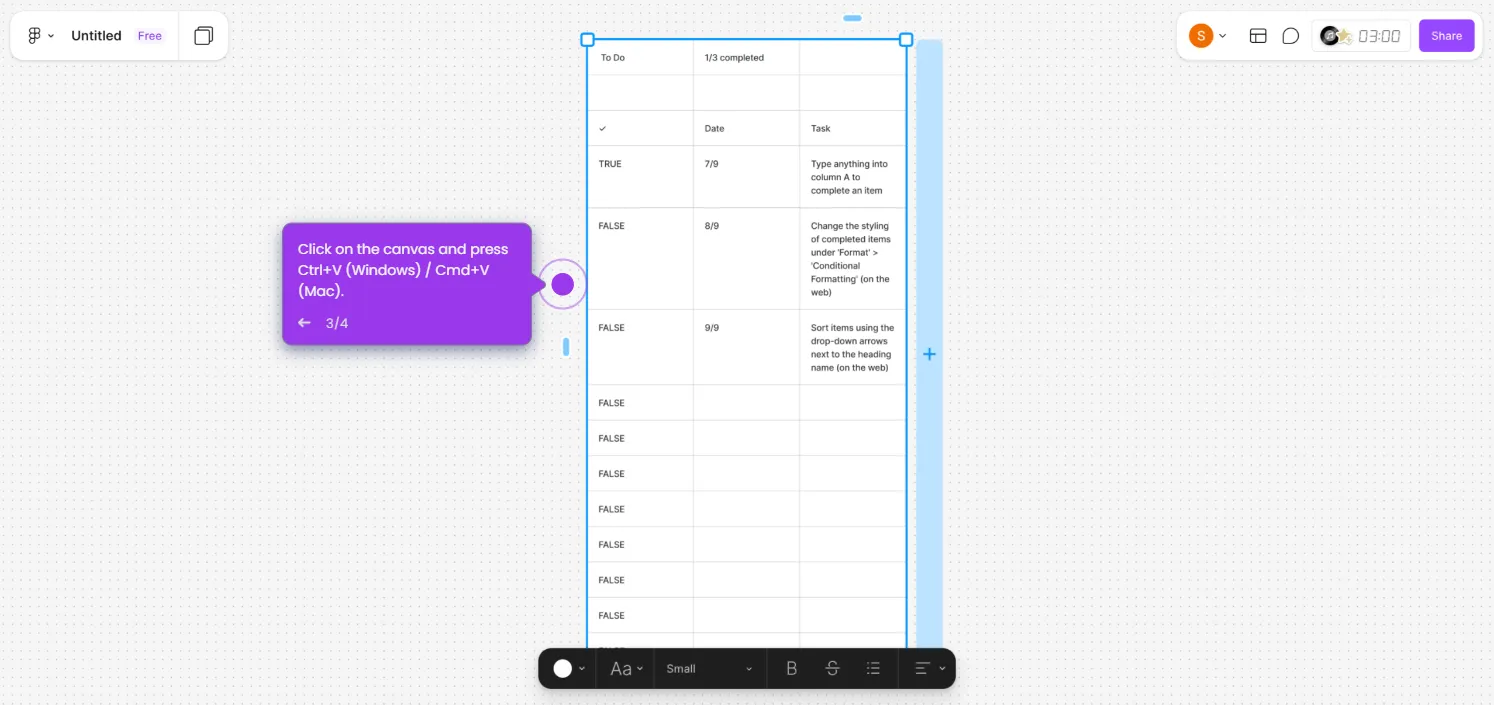
Converting a Word document to FigJam sticky notes lets teams instantly transform written content into visual, draggable notes on a collaborative canvas. Simply copy text from your doc, open FigJam, and paste it using the sticky note tool to start organizing ideas visually.


Steps

  1. Open your Word document, select the text you want to convert, and copy it using Ctrl+C or Cmd+C.
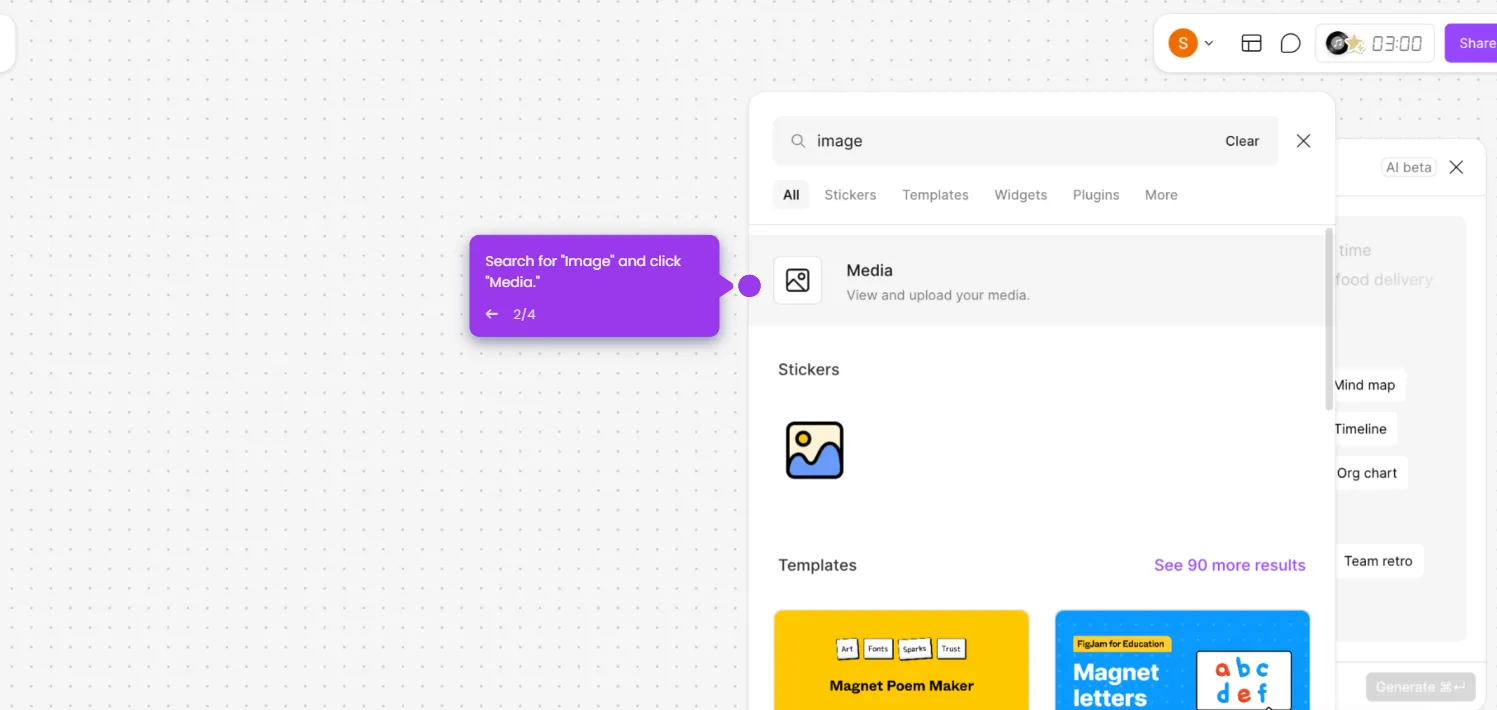
  2. Open your FigJam file in Figma, then activate the sticky note tool by clicking its icon or pressing N.
  3. Click on the FigJam canvas and paste your text using Ctrl+V or Cmd+V to create sticky notes.
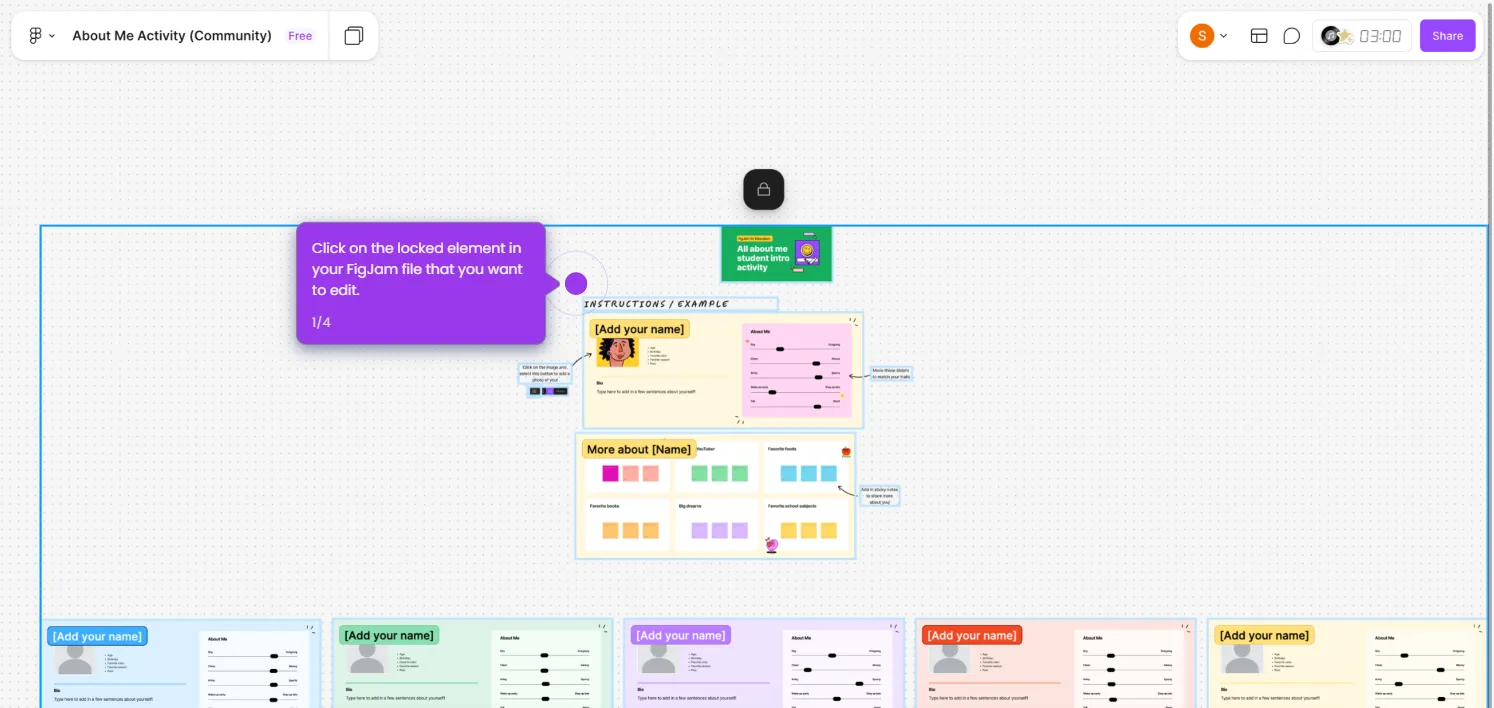
  4. Arrange and format your sticky notes by changing colors, resizing, or grouping them, then drag them around to organize your ideas.
📌 Why this matters

Converting Word documents into FigJam sticky notes bridges the gap between traditional text-based writing and visual collaborative brainstorming. This workflow lets teams instantly migrate written content into a flexible, drag-and-drop canvas where ideas can be grouped, color-coded, and reorganized in real time. It eliminates manual retyping and accelerates workshops, sprint planning, and ideation sessions by making document content immediately actionable in FigJam. For teams already working in Figma, this method streamlines the transition from documentation to visual thinking without switching tools.
Your product deserves an interactive demo
Start free
Similar Articles
Figjam

How to Upload Image to FigJam

Madhav Bhandari
Director of Marketing @ Storylane
Figjam

How to Unlock a FigJam File

Madhav Bhandari
Director of Marketing @ Storylane
Figjam

How to Transfer Spreadsheet to FigJam Sticky Notes

Madhav Bhandari
Director of Marketing @ Storylane
No items found.
Platform
Interactive Demos
Sandbox Demos
Hubs
RepX
Integrations
Solutions
Product Marketers
Growth & Demand Gen
Sales Reps & AEs
Presales & SEs
Customer Success
Product Managers
Customers
Demo Showcase
Customer Stories
Finer Demos Club
Features
Demo Signals
Personalization
Deal Intelligence
Resources
Blog
The Plot
Tutorials
Help Docs
What’s New
Demo Dundies
Company
Careers
Pricing
Partners
Contact
Trust Center
Backed by
Chrome Extension Icon
Chrome extension
Download
Desktop app
Download
Built in San Francisco Bay Area - ©2026 Storylane
Privacy PolicyTerms & Conditions
X Corp (formerly Twitter)LinkedIn
This website uses cookies to ensure you get the best experience on our website. Learn More
Got it
This website uses cookies to ensure you get the best experience on our website. Learn More
Got it