This interactive demo was created free with Storylane in 2 minutes. Create your own demo
Start free
All Tutorials /Prezi

How to Delete Slide in Prezi

Updated on:
June 5, 2026
By:
Madhav Bhandari
Try this guided demo to learn how to delete slide in Prezi.
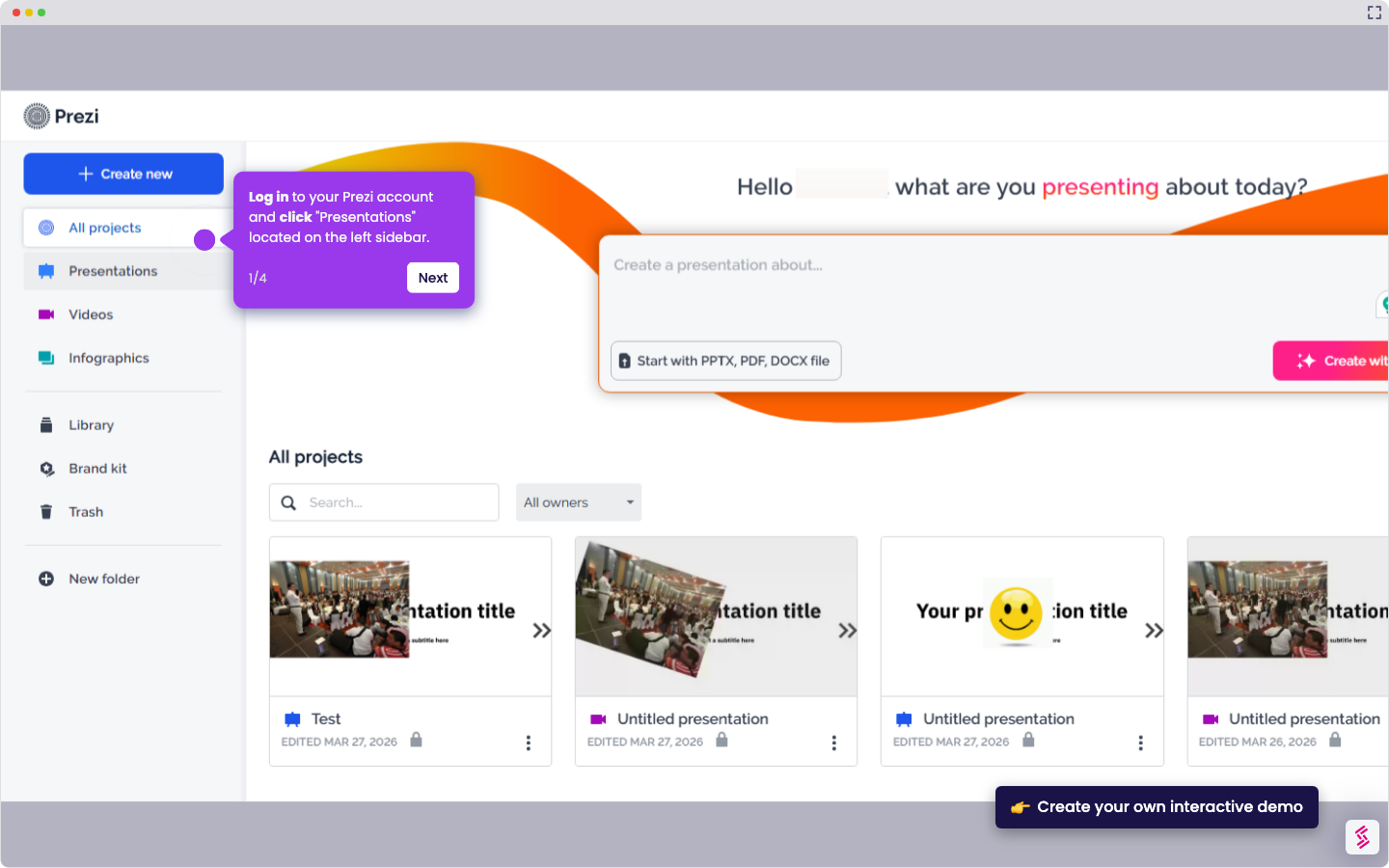
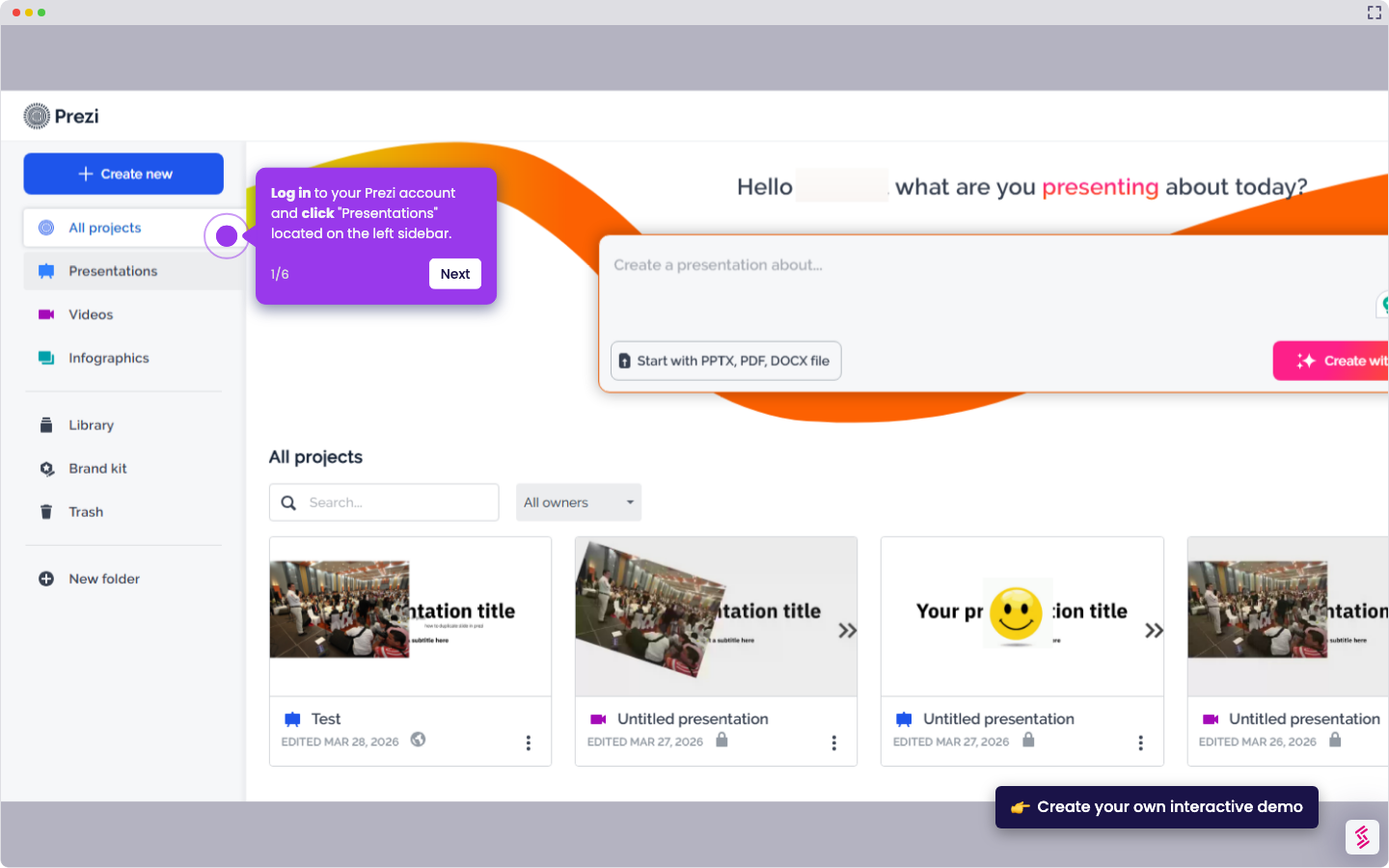
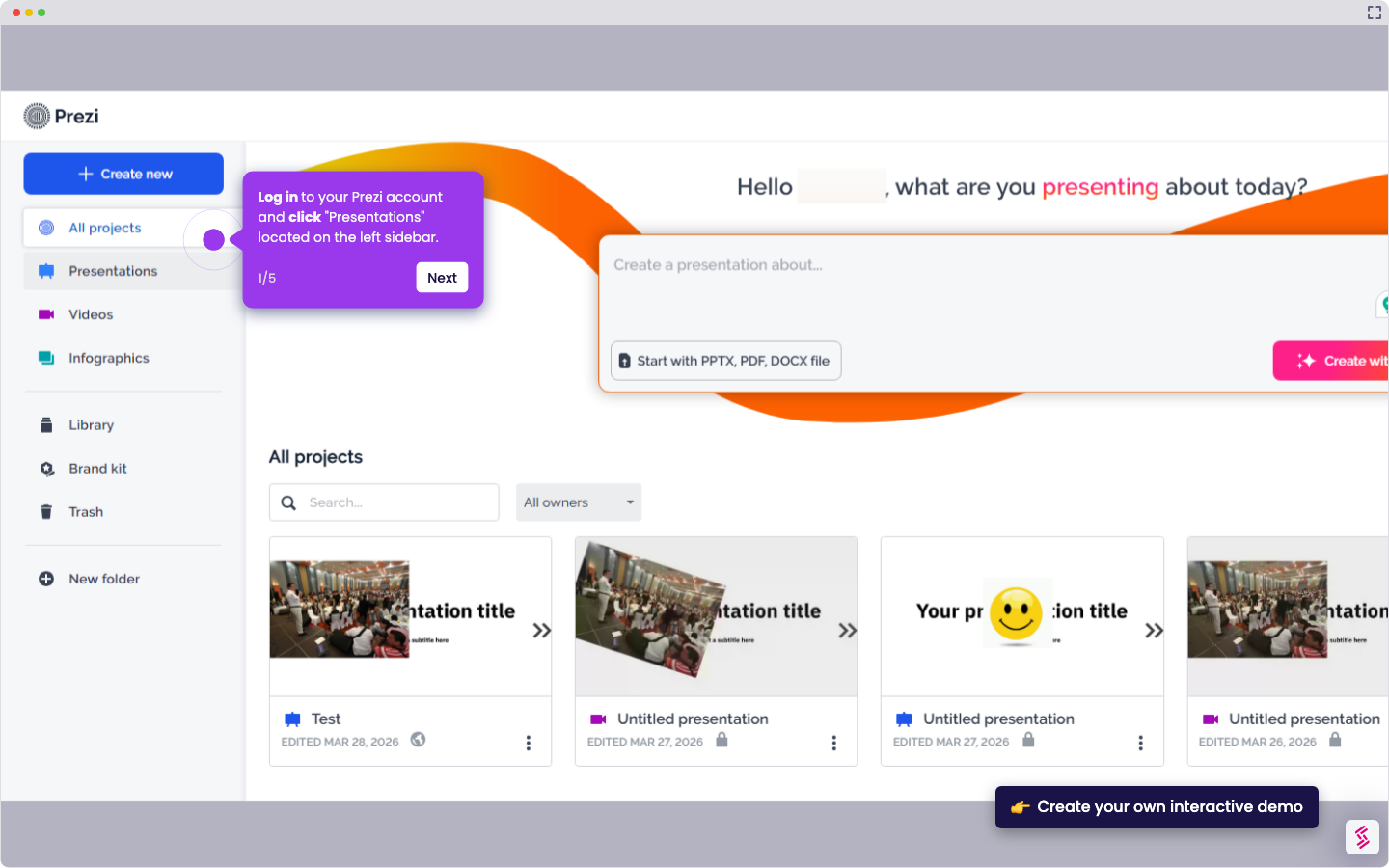
  1. Log in to your Prezi account and click "Presentations" located on the left sidebar.
  2. Select which presentation you want to edit.
  3. Select which slide you want to remove and click the (...) button.
  4. Click the "Remove from timeline" to delete the slide.

📌 Why this matters

Removing unnecessary slides keeps your presentation focused and prevents confusion for the audience during transitions. Beyond basic cleanup, deleting slides becomes crucial when you're repurposing presentations for different audiences or time constraints. You might have created multiple versions of the same concept or built slides that seemed important during brainstorming but don't serve your final narrative. Clean slide management also improves your presentation's loading performance and makes future edits smoother, since you won't waste time scrolling through irrelevant content when making updates.

Your product deserves an interactive demo
Start free
Similar Articles
Prezi

How to Share Prezi

Madhav Bhandari
Director of Marketing @ Storylane
Prezi

How to Change Font Size in Prezi

Madhav Bhandari
Director of Marketing @ Storylane
Prezi

How to Embed Prezi

Madhav Bhandari
Director of Marketing @ Storylane
No items found.
Platform
Interactive Demos
Sandbox Demos
Hubs
RepX
Integrations
Solutions
Product Marketers
Growth & Demand Gen
Sales Reps & AEs
Presales & SEs
Customer Success
Product Managers
Customers
Demo Showcase
Customer Stories
Finer Demos Club
Features
Demo Signals
Personalization
Deal Intelligence
Resources
Blog
The Plot
Tutorials
Help Docs
What’s New
Demo Dundies
Company
Careers
Pricing
Partners
Contact
Trust Center
Backed by
Chrome Extension Icon
Chrome extension
Download
Desktop app
Download
Built in San Francisco Bay Area - ©2026 Storylane
Privacy PolicyTerms & Conditions
X Corp (formerly Twitter)LinkedIn
This website uses cookies to ensure you get the best experience on our website. Learn More
Got it
This website uses cookies to ensure you get the best experience on our website. Learn More
Got it