This interactive demo was created free with Storylane in 2 minutes. Create your own demo
Start free
All Tutorials /Sourcetree

How to Tag in Sourcetree

Updated on:
June 5, 2026
By:
Madhav Bhandari
Use this interactive demo to learn how to create and apply a Git tag in Sourcetree.

Quick summary

Tagging in Sourcetree lets you mark a specific commit in your Git repository as a named reference point, such as a release version. Using the built-in Tag dialog, you can add a tag to any committed state without leaving the Sourcetree interface.


Steps

  1. Open Sourcetree and select your repository from the list.
  2. Make sure you are on the correct branch and have committed all relevant changes.
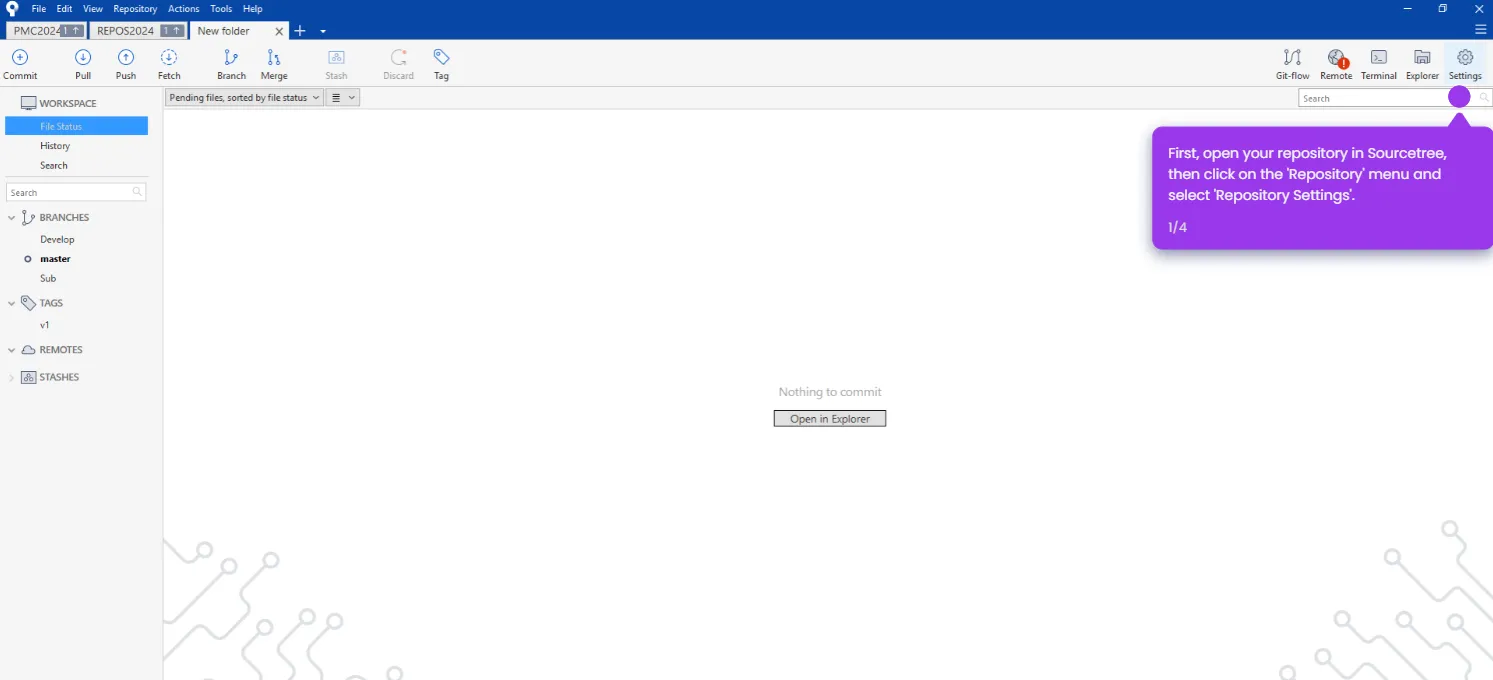
  3. In the top menu or toolbar, select the Tag option.
  4. In the Tag Name field, enter the name for your new tag.
  5. Click Add Tag to confirm and apply the tag to the current commit.
  6. Your tag now marks a specific point in history in your Git repository.

📌 Why this matters

Git tags are essential for marking stable release points, version milestones, or significant commits in a repository's history. Sourcetree's visual Tag feature makes it easy for developers to create and manage Git tags without memorizing command-line syntax. By tagging directly from the Sourcetree toolbar, teams can maintain a clear, navigable project timeline and quickly reference any past state of their codebase. This is especially valuable for release management workflows where traceability and version control accuracy are critical.
Your product deserves an interactive demo
Start free
Similar Articles
Sourcetree

How to Update Sourcetree Mercurial

Madhav Bhandari
Director of Marketing @ Storylane
Sourcetree

How to Add SSH Key in Sourcetree

Madhav Bhandari
Director of Marketing @ Storylane
Sourcetree

How to Change User in Sourcetree

Madhav Bhandari
Director of Marketing @ Storylane
No items found.
Platform
Interactive Demos
Sandbox Demos
Hubs
RepX
Integrations
Solutions
Product Marketers
Growth & Demand Gen
Sales Reps & AEs
Presales & SEs
Customer Success
Product Managers
Customers
Demo Showcase
Customer Stories
Finer Demos Club
Features
Demo Signals
Personalization
Deal Intelligence
Resources
Blog
The Plot
Tutorials
Help Docs
What’s New
Demo Dundies
Company
Careers
Pricing
Partners
Contact
Trust Center
Backed by
Chrome Extension Icon
Chrome extension
Download
Desktop app
Download
Built in San Francisco Bay Area - ©2026 Storylane
Privacy PolicyTerms & Conditions
X Corp (formerly Twitter)LinkedIn
This website uses cookies to ensure you get the best experience on our website. Learn More
Got it
This website uses cookies to ensure you get the best experience on our website. Learn More
Got it