This interactive demo was created free with Storylane in 2 minutes. Create your own demo
Start free
All Tutorials /Prezi

How to Delete Prezi Presentation

Updated on:
June 5, 2026
By:
Madhav Bhandari
Follow this interactive demo to learn how to delete Prezi presentation.
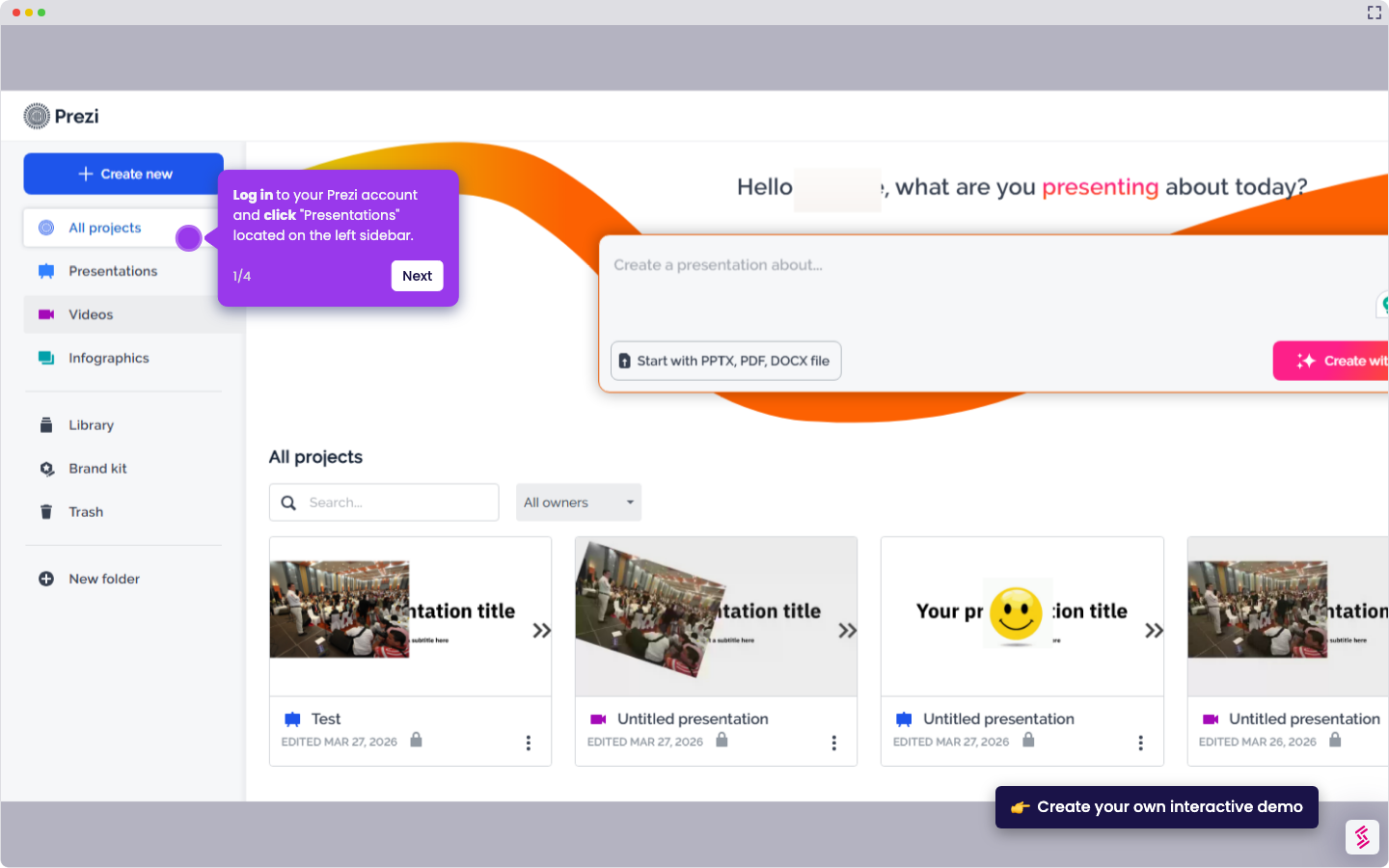
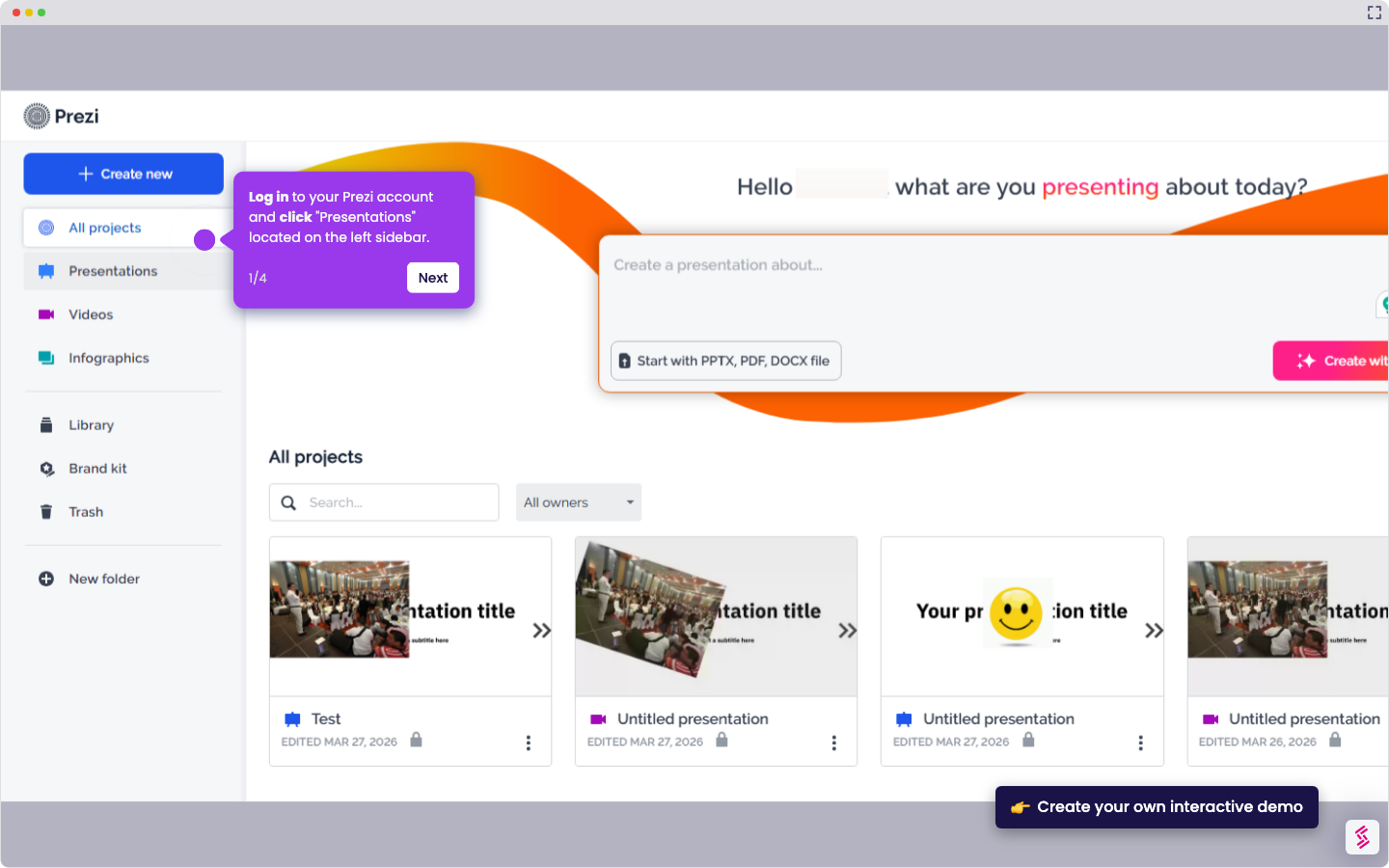
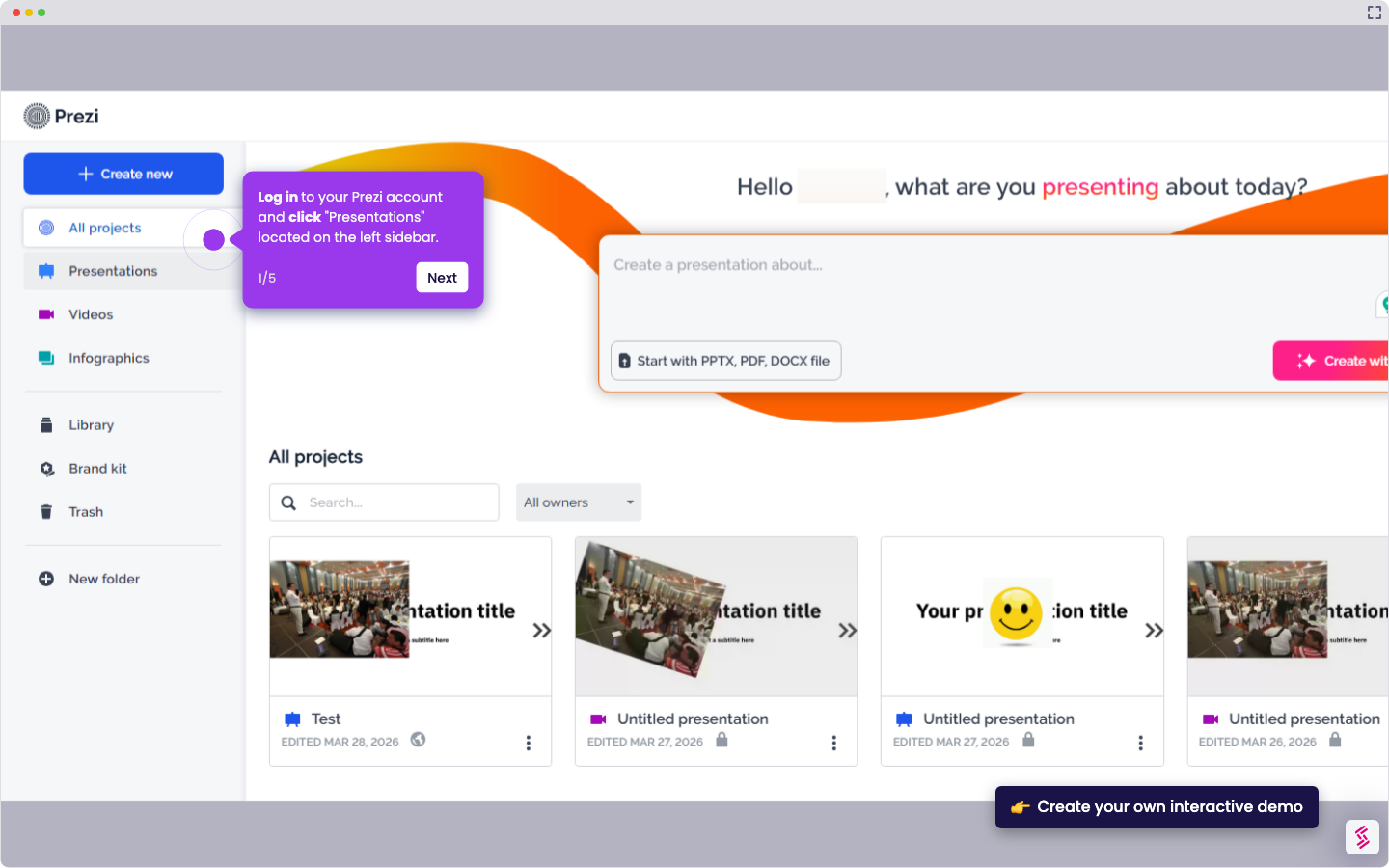
  1. Log in to your Prezi account and click "Presentations" located on the left sidebar.
  2. Select which presentation you want to delete and click the (...) button.
  3. Click the "Move to trash" button.
  4. Click "Move to trash" to confirm your action.
  5. Click the "Trash" button to find presentations you've removed but haven't permanently deleted yet.
  6. Select the presentation you want to permanently remove from your trash folder.
  7. Click the (...) button and select "Delete forever".
  8. Confirm by clicking "Delete forever" to complete the permanent removal.

📌 Why this matters

Deleting presentations frees up storage space in your account and keeps your workspace organized, making it easier to find active projects. Beyond decluttering, proper deletion protects sensitive information from lingering in your account indefinitely. The two-step process with trash and permanent deletion gives you a safety net to recover accidentally removed presentations while ensuring confidential content is completely erased when needed. This becomes especially valuable when sharing account access with team members or when presentations contain proprietary information that must be securely disposed of.

Your product deserves an interactive demo
Start free
Similar Articles
Prezi

How to Share Prezi

Madhav Bhandari
Director of Marketing @ Storylane
Prezi

How to Delete Slide in Prezi

Madhav Bhandari
Director of Marketing @ Storylane
Prezi

How to Change Font Size in Prezi

Madhav Bhandari
Director of Marketing @ Storylane
No items found.
Platform
Interactive Demos
Sandbox Demos
Hubs
RepX
Integrations
Solutions
Product Marketers
Growth & Demand Gen
Sales Reps & AEs
Presales & SEs
Customer Success
Product Managers
Customers
Demo Showcase
Customer Stories
Finer Demos Club
Features
Demo Signals
Personalization
Deal Intelligence
Resources
Blog
The Plot
Tutorials
Help Docs
What’s New
Demo Dundies
Company
Careers
Pricing
Partners
Contact
Trust Center
Backed by
Chrome Extension Icon
Chrome extension
Download
Desktop app
Download
Built in San Francisco Bay Area - ©2026 Storylane
Privacy PolicyTerms & Conditions
X Corp (formerly Twitter)LinkedIn
This website uses cookies to ensure you get the best experience on our website. Learn More
Got it
This website uses cookies to ensure you get the best experience on our website. Learn More
Got it