This interactive demo was created free with Storylane in 2 minutes. Create your own demo
Start free
All Tutorials /Airtable

How to Integrate Airtable with Shopify

Updated on:
June 5, 2026
By:
Madhav Bhandari
Use this interactive demo to learn how to integrate Airtable with your Shopify store.

‍

‍

It is very easy to integrate Airtable with Shopify via Zapier. Here’s a short tutorial on how to do it in simple steps:

‍

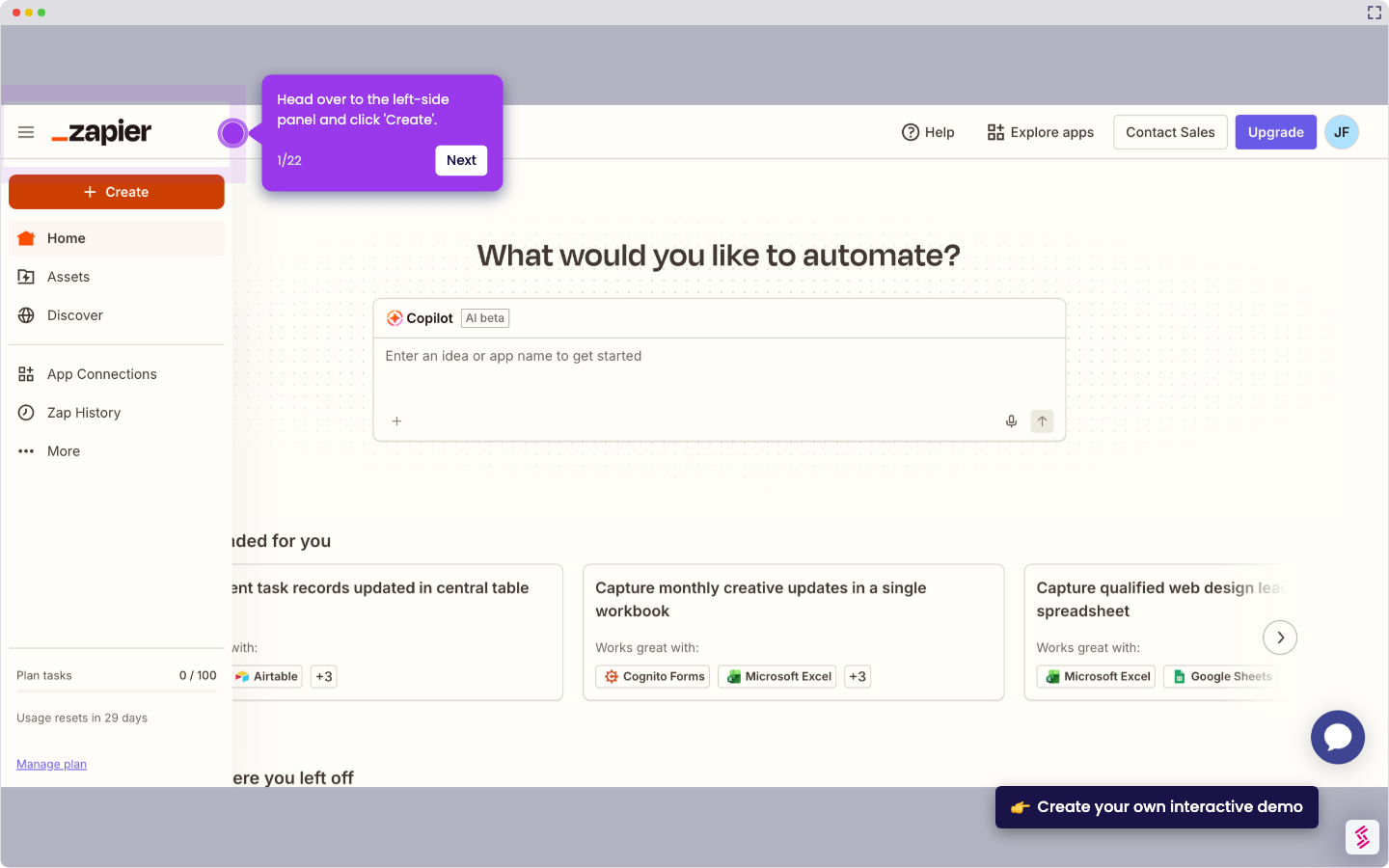
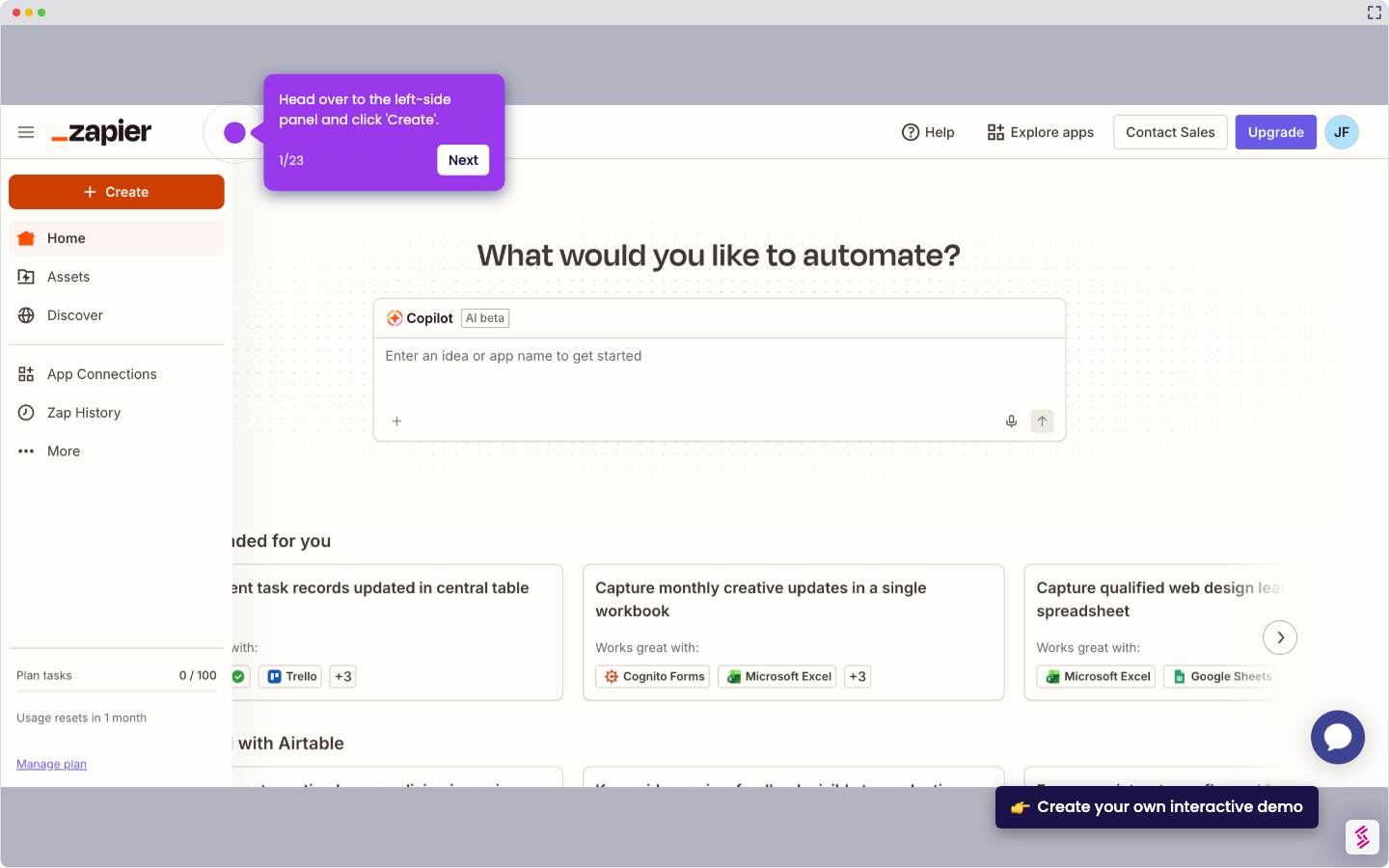
  1. On Zapier's main dashboard, head over to the left-side panel and click 'Create'.
  2. Choose 'Zaps' to proceed.
  3. After that, click the 'Trigger' tab to start the integration process.
  4. Search for 'Airtable' and select it from the suggested results.
  5. Specify your preferred 'Trigger Event'. Simply tap the menu and choose one from the list.
  6. Click 'Sign In' afterwards, then log in to your active Airtable account.
  7. Subsequently, set the required permissions based on your preference. Select 'Add All Resources' or 'Add a Base'.
  8. Once done, click 'Grant Access' to proceed.
  9. Click 'Continue' to make the necessary configurations.
  10. One by one, fill out the input fields with the required details.
  11. Once done, review your input and click 'Continue'.
  12. Subsequently, click 'Test Trigger' to check your configurations.
  13. Tap 'Continue' afterwards.
  14. Search for 'Shopify' and select it as the Action app.
  15. Following that, click the 'Action Event' menu and choose one from the given options.
  16. Click 'Sign In' afterwards to connect your Shopify account.
  17. Enter your Shopify username into the provided input field and then click 'Yes, Continue to Shopify'. Log in to your Shopify account to continue.
  18. Subsequently, click 'Install' to establish the connection.
  19. Click 'Continue' to configure the connection you wish to implement.
  20. Following that, provide all the necessary details and enter them into their respective input fields.
  21. Once completed, click 'Continue'.
  22. Finally, click 'Publish' to activate the integration between your Airtable and Shopify accounts.

📌 Why this matters

Connecting your inventory database to your online store eliminates the tedious manual work of updating product information, stock levels, and order details across platforms. You can automatically sync new products, track inventory changes, and maintain consistent data without switching between systems.

This integration transforms your spreadsheet from a static reference tool into a dynamic control center that responds to real-time store activity, giving you centralized oversight of your entire operation while reducing human error in critical business data.

Your product deserves an interactive demo
Start free
Similar Articles
Airtable

How to Integrate Airtable with Wufoo

Madhav Bhandari
Director of Marketing @ Storylane
Airtable

How to Integrate Airtable with Zoho CRM

Madhav Bhandari
Director of Marketing @ Storylane
Airtable

How to Integrate Airtable with Acuity Scheduling

Madhav Bhandari
Director of Marketing @ Storylane
No items found.
Platform
Interactive Demos
Sandbox Demos
Hubs
RepX
Integrations
Solutions
Product Marketers
Growth & Demand Gen
Sales Reps & AEs
Presales & SEs
Customer Success
Product Managers
Customers
Demo Showcase
Customer Stories
Finer Demos Club
Features
Demo Signals
Personalization
Deal Intelligence
Resources
Blog
The Plot
Tutorials
Help Docs
What’s New
Demo Dundies
Company
Careers
Pricing
Partners
Contact
Trust Center
Backed by
Chrome Extension Icon
Chrome extension
Download
Desktop app
Download
Built in San Francisco Bay Area - ©2026 Storylane
Privacy PolicyTerms & Conditions
X Corp (formerly Twitter)LinkedIn
This website uses cookies to ensure you get the best experience on our website. Learn More
Got it
This website uses cookies to ensure you get the best experience on our website. Learn More
Got it