This interactive demo was created free with Storylane in 2 minutes. Create your own demo
Start free
All Tutorials /Prezi

How to Print Prezi Presentation

Updated on:
June 9, 2026
By:
Madhav Bhandari
Follow this interactive demo to learn how to print Prezi presentation.
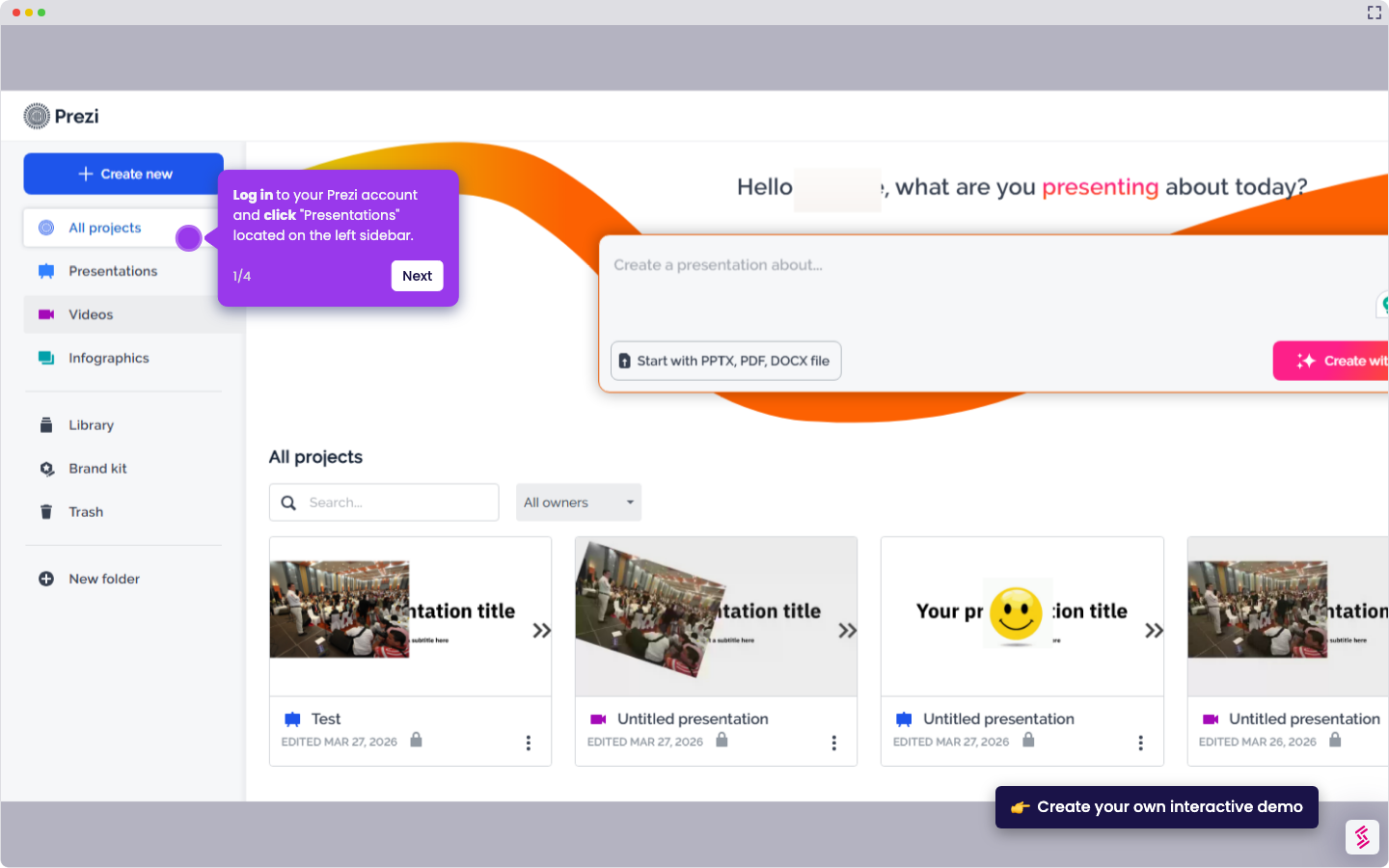
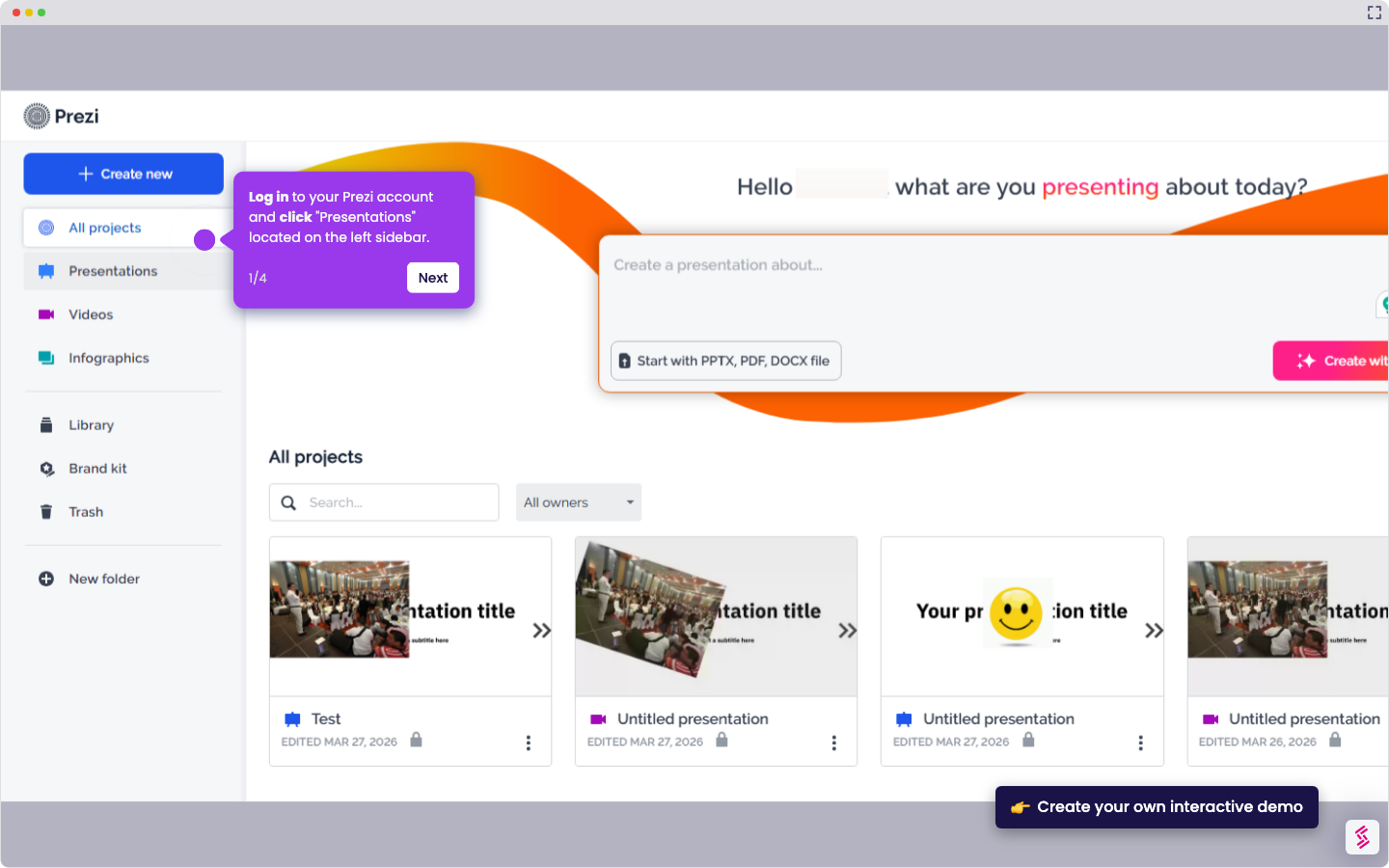
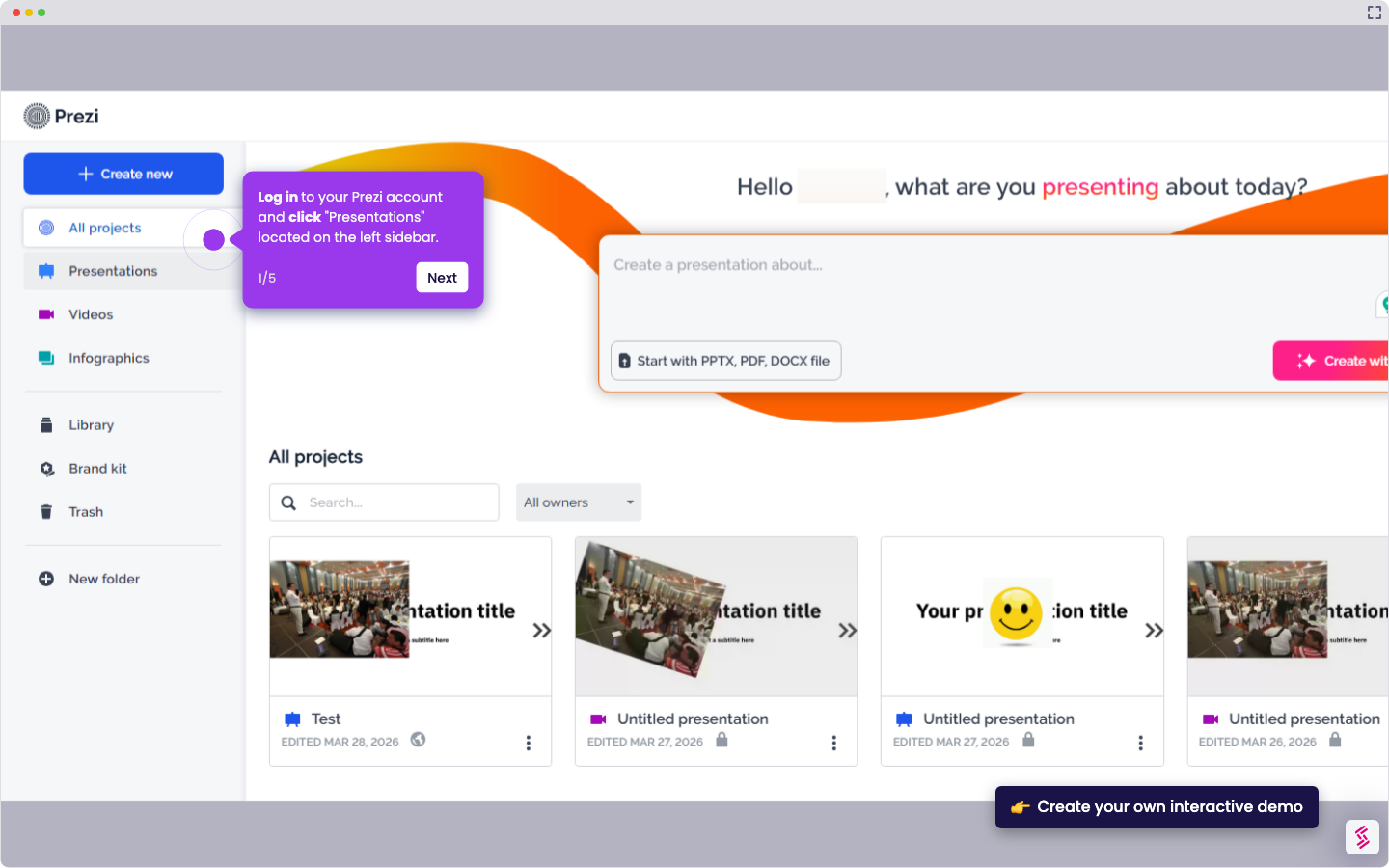
  1. Log in to your Prezi account and click "Presentations" located on the left sidebar
  2. Select which presentation you want to convert into a PDF
  3. Click the "arrow down" beside the "Share" button in the top right corner.
  4. Select "Download PDF"
  5. Confirm your action by clicking the "Download" button
  6. Open the PDF file that you downloaded from Prezi
  7. Confirm your printer settings, then click the "Print" button

📌 Why this matters

Printing your Prezi presentation creates a reliable backup for high-stakes situations where technology might fail you. Beyond having handouts for your audience, a printed version serves as your presentation safety net during important meetings or conferences. You can annotate the pages with speaker notes, timing cues, or last-minute updates that won't appear on screen. Physical copies also enable collaborative review sessions where team members can mark up different sections simultaneously, making the feedback process more efficient than digital commenting.

Your product deserves an interactive demo
Start free
Similar Articles
Prezi

How to Share Prezi

Madhav Bhandari
Director of Marketing @ Storylane
Prezi

How to Delete Slide in Prezi

Madhav Bhandari
Director of Marketing @ Storylane
Prezi

How to Change Font Size in Prezi

Madhav Bhandari
Director of Marketing @ Storylane
No items found.
Platform
Interactive Demos
Sandbox Demos
Hubs
RepX
Integrations
Solutions
Product Marketers
Growth & Demand Gen
Sales Reps & AEs
Presales & SEs
Customer Success
Product Managers
Customers
Demo Showcase
Customer Stories
Finer Demos Club
Features
Demo Signals
Personalization
Deal Intelligence
Resources
Blog
The Plot
Tutorials
Help Docs
What’s New
Demo Dundies
Company
Careers
Pricing
Partners
Contact
Trust Center
Backed by
Chrome Extension Icon
Chrome extension
Download
Desktop app
Download
Built in San Francisco Bay Area - ©2026 Storylane
Privacy PolicyTerms & Conditions
X Corp (formerly Twitter)LinkedIn
This website uses cookies to ensure you get the best experience on our website. Learn More
Got it
This website uses cookies to ensure you get the best experience on our website. Learn More
Got it