This interactive demo was created free with Storylane in 2 minutes. Create your own demo
Start free
All Tutorials /Alteryx

How to Transpose the Data in Alteryx

Updated on:
June 5, 2026
By:
Madhav Bhandari
Try this guided demo to learn how to transpose the data in Alteryx.
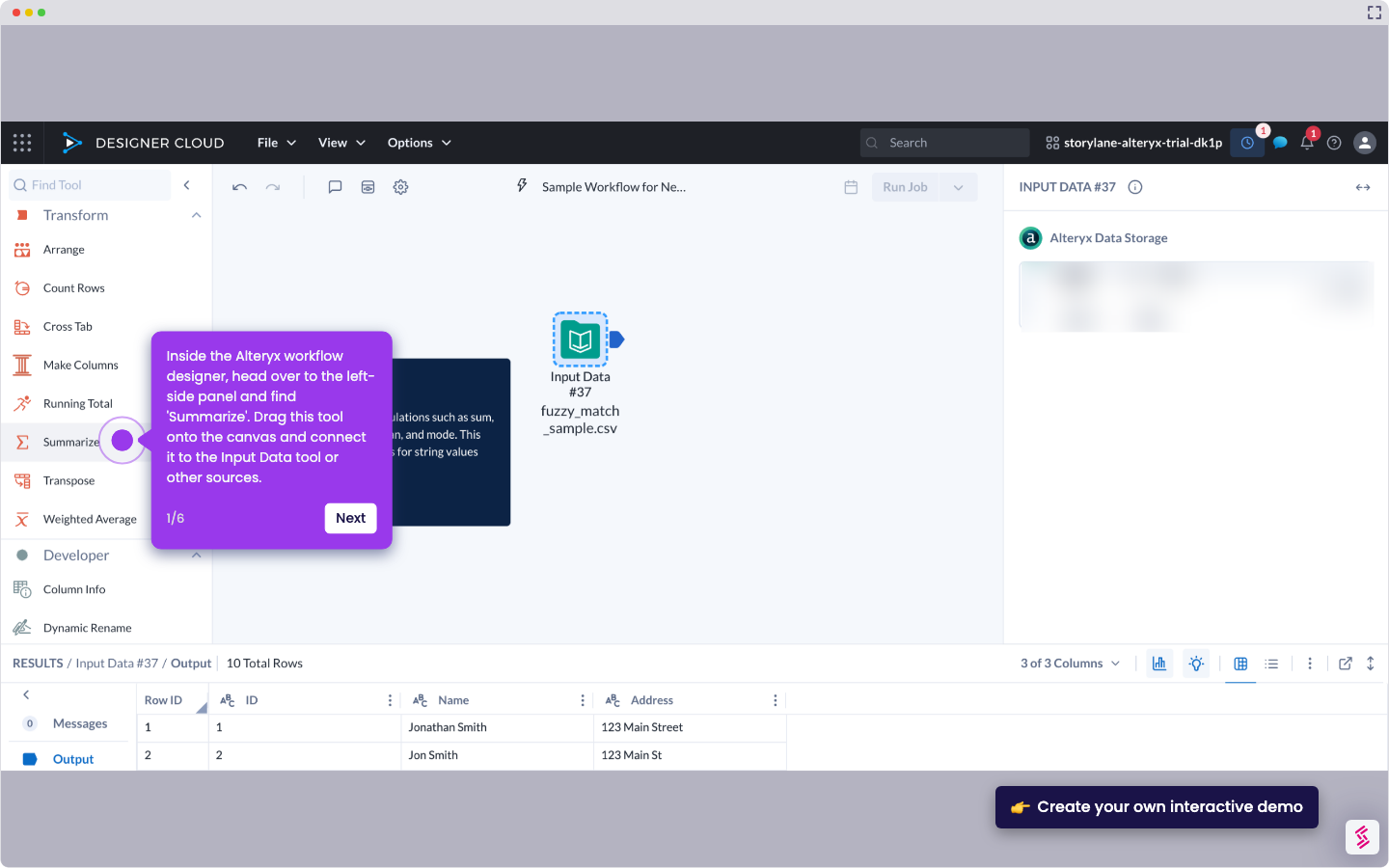
  1. Inside Alteryx's workflow designer, go to the left-side panel and find 'Transpose'. Drag this tool onto the canvas and connect it to the Input Data tool or other sources.
  2. Following that, go to the right-hand panel and select the columns that contain the data you want to transpose.
  3. Finally, the selected data in your Alteryx workflow will be transposed accordingly.

📌 Why this matters

Transposing data transforms rows into columns, letting you reshape datasets for different analysis requirements or visualization tools that expect specific data orientations. While it seems like a simple formatting change, transposition actually unlocks compatibility between systems that handle data structures differently. Many reporting dashboards, statistical software, and machine learning algorithms require data in particular layouts to function properly. By restructuring your data orientation, you can feed the same dataset into multiple analytical workflows without manual reformatting, making your data pipeline more versatile and reducing preparation time.

Your product deserves an interactive demo
Start free
Similar Articles
Alteryx

How to Integrate Alteryx with Snowflake

Madhav Bhandari
Director of Marketing @ Storylane
Alteryx

How to Compare Two Files in Alteryx

Madhav Bhandari
Director of Marketing @ Storylane
Alteryx

How to Use the Summarize Tool in Alteryx

Akshaya Chandramouli
Head of Brand at Storylane
No items found.
Platform
Interactive Demos
Sandbox Demos
Hubs
RepX
Integrations
Solutions
Product Marketers
Growth & Demand Gen
Sales Reps & AEs
Presales & SEs
Customer Success
Product Managers
Customers
Demo Showcase
Customer Stories
Finer Demos Club
Features
Demo Signals
Personalization
Deal Intelligence
Resources
Blog
The Plot
Tutorials
Help Docs
What’s New
Demo Dundies
Company
Careers
Pricing
Partners
Contact
Trust Center
Backed by
Chrome Extension Icon
Chrome extension
Download
Desktop app
Download
Built in San Francisco Bay Area - ©2026 Storylane
Privacy PolicyTerms & Conditions
X Corp (formerly Twitter)LinkedIn
This website uses cookies to ensure you get the best experience on our website. Learn More
Got it
This website uses cookies to ensure you get the best experience on our website. Learn More
Got it