This interactive demo was created free with Storylane in 2 minutes. Create your own demo
Start free
All Tutorials /Moz

How to Use Moz Keyword Explorer

Updated on:
June 5, 2026
By:
Madhav Bhandari
Use this interactive demo to learn how to research keywords and analyze search metrics in Moz Pro.

Quick summary

Moz Keyword Explorer lets you research keywords by entering a term, selecting a target market, and instantly viewing search volume, difficulty, click rate, and priority score. It is a core tool in Moz Pro for finding high-value SEO opportunities backed by location-specific data.


Steps

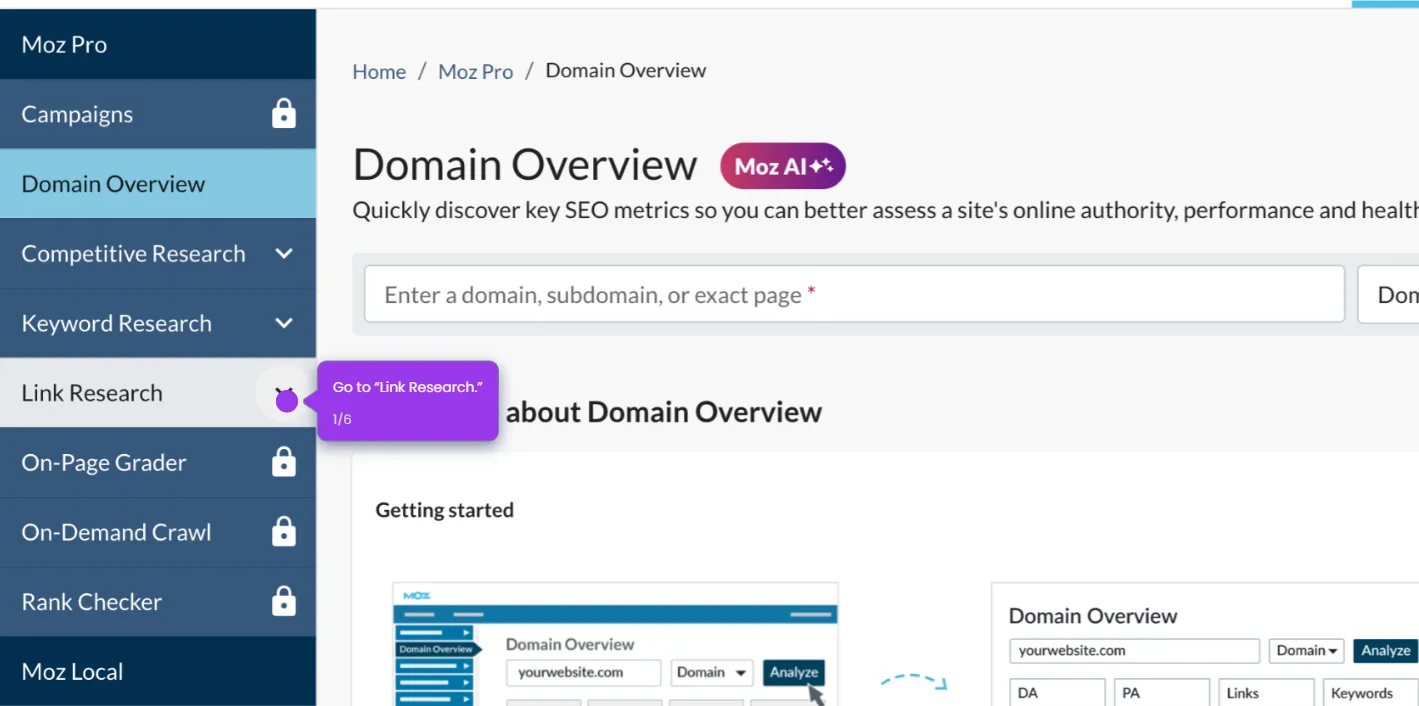
  1. From the Moz dashboard, click Keyword Research or navigate directly to Keyword Explorer.
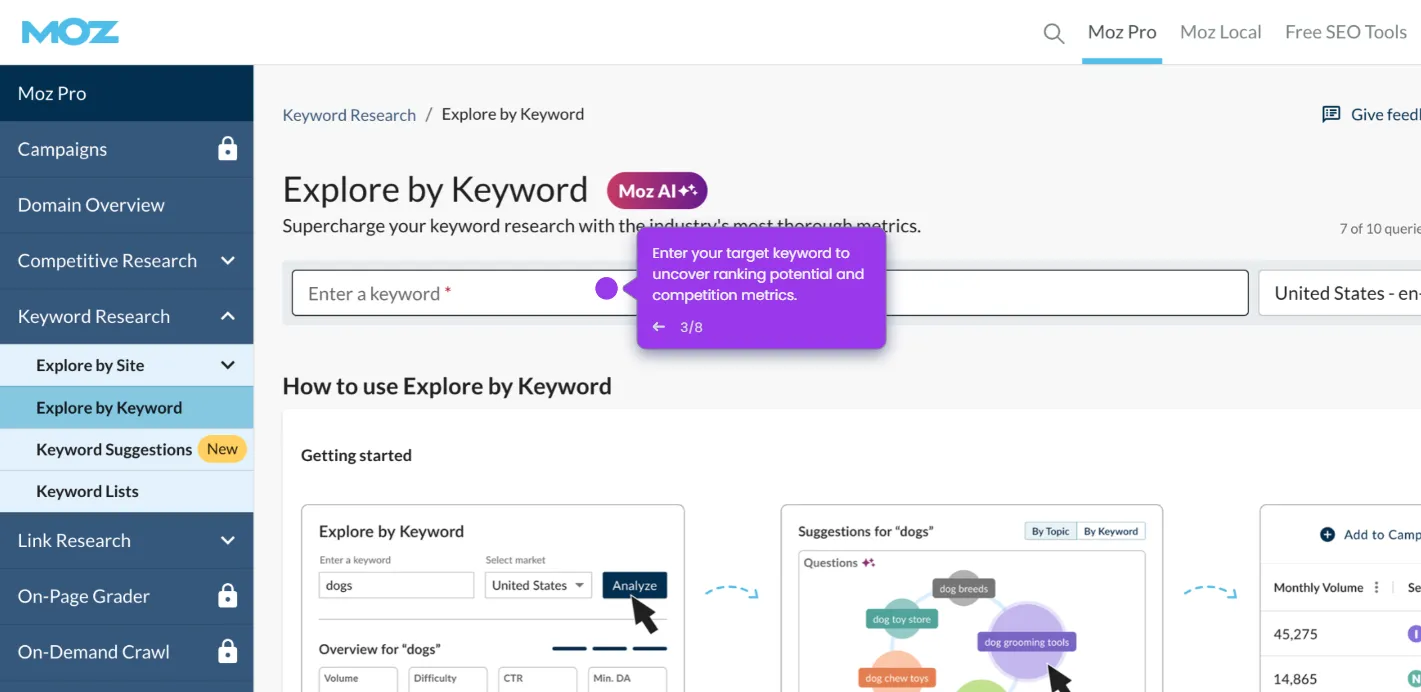
  2. Type in a keyword or phrase related to your niche or campaign (e.g., "best coffee").
  3. Select "Keyword" as your search type from the dropdown list.
  4. Confirm that United States is selected as your target market to retrieve location-specific data.
  5. Click the "Analyze" button to generate keyword insights.
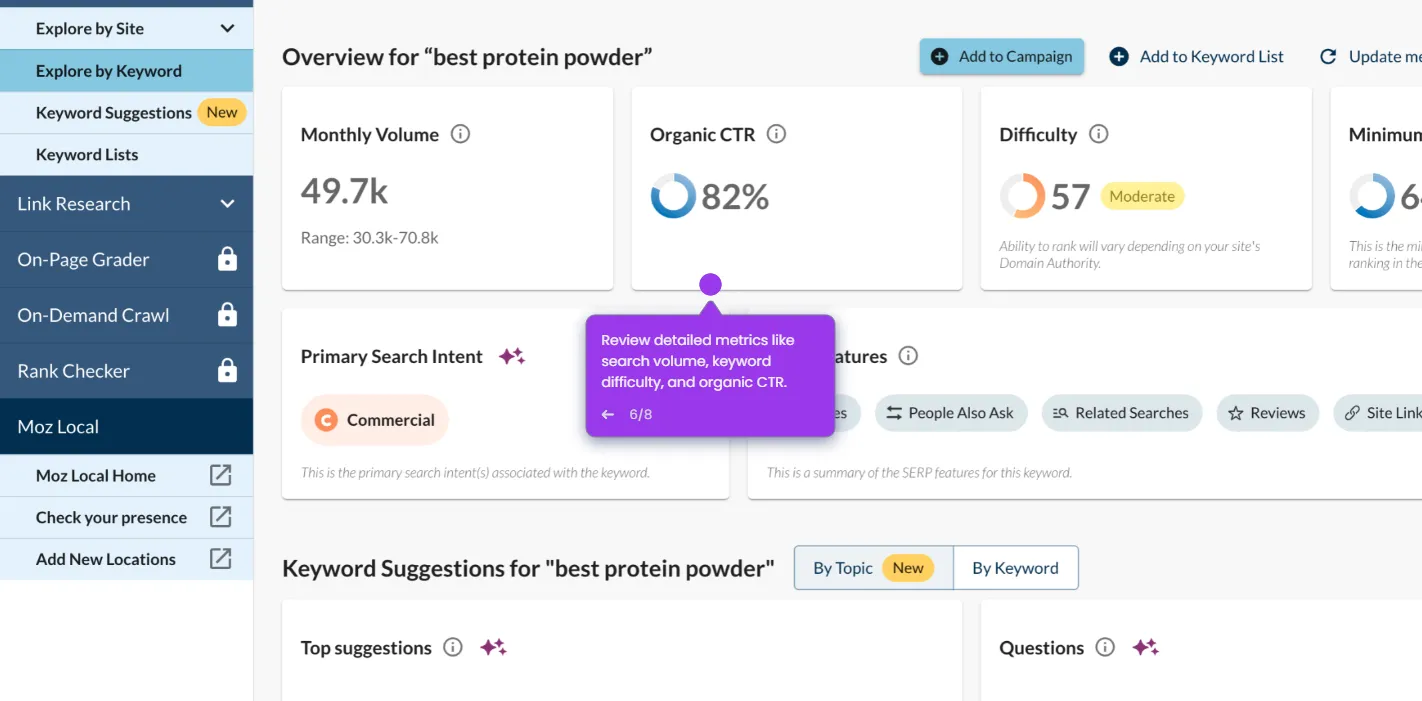
  6. Review the key metrics — search volume, keyword difficulty, click rate, and priority score — to evaluate and select the best keywords.
📌 Why this matters

Moz Keyword Explorer gives SEO professionals and marketers a fast, data-driven way to identify high-opportunity keywords by combining search volume, keyword difficulty, click-through rate, and a proprietary priority score in one view. Unlike basic keyword tools, it surfaces location-specific insights — such as U.S. search trends — so teams can build content strategies that target the right audience with precision. For businesses investing in organic search growth, Moz Pro's Keyword Explorer reduces guesswork and helps prioritize efforts that drive measurable rankings and traffic.
Your product deserves an interactive demo
Start free
Similar Articles
Moz

How to Run Reports of Specific Keywords with Moz

Madhav Bhandari
Director of Marketing @ Storylane
Moz

How to Build Reports in Moz

Madhav Bhandari
Director of Marketing @ Storylane
Moz

How to Use Moz to Find Potential Linking Opportunities

Madhav Bhandari
Director of Marketing @ Storylane
No items found.
Platform
Interactive Demos
Sandbox Demos
Hubs
RepX
Integrations
Solutions
Product Marketers
Growth & Demand Gen
Sales Reps & AEs
Presales & SEs
Customer Success
Product Managers
Customers
Demo Showcase
Customer Stories
Finer Demos Club
Features
Demo Signals
Personalization
Deal Intelligence
Resources
Blog
The Plot
Tutorials
Help Docs
What’s New
Demo Dundies
Company
Careers
Pricing
Partners
Contact
Trust Center
Backed by
Chrome Extension Icon
Chrome extension
Download
Desktop app
Download
Built in San Francisco Bay Area - ©2026 Storylane
Privacy PolicyTerms & Conditions
X Corp (formerly Twitter)LinkedIn
This website uses cookies to ensure you get the best experience on our website. Learn More
Got it
This website uses cookies to ensure you get the best experience on our website. Learn More
Got it